 XCIPTV Player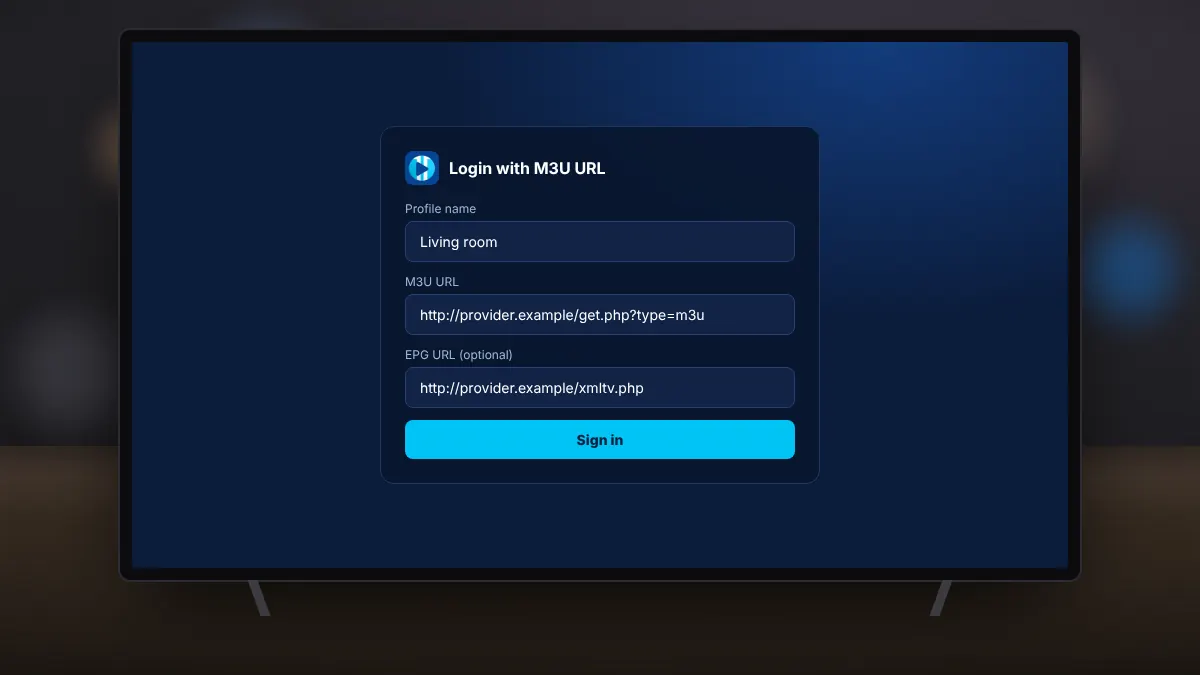
Some services provide an M3U playlist instead of, or as well as, an Xtream Codes login. An M3U link is a web address that lists every channel. XCIPTV Player can load it and, with a second link, add the TV guide too.
What you need
- The M3U URL from your provider.
- Optionally, an EPG URL, usually ending in .xml or .xml.gz, for programme information.
Adding the playlist
- Open XCIPTV Player and choose the M3U login option.
- Name the profile and paste the M3U URL.
- Add the EPG URL if you have one, then continue.
Why add an EPG link?
Without a guide link, you see channel names but no programme titles or times. With it, the app shows what is on now and next, and unlocks reminders, catch-up and scheduled recording where your service supports them.
Typing long links on a TV
M3U addresses are long. Typing them with a remote is slow and error-prone. Ask your provider whether they offer a short link, or use the TV's voice input. Some providers also offer an Xtream Codes login, which is shorter.
Fixing problems
- Empty channel list: open the link in a browser to check it works, and make sure it has not expired.
- Guide shows wrong times: adjust the EPG time offset in settings.
- Channels without guide data: the playlist and EPG may use different channel IDs; ask your provider for a matching guide.
Refresh the playlist after your provider adds or removes channels, so the list on your TV stays up to date.