 XCIPTV Player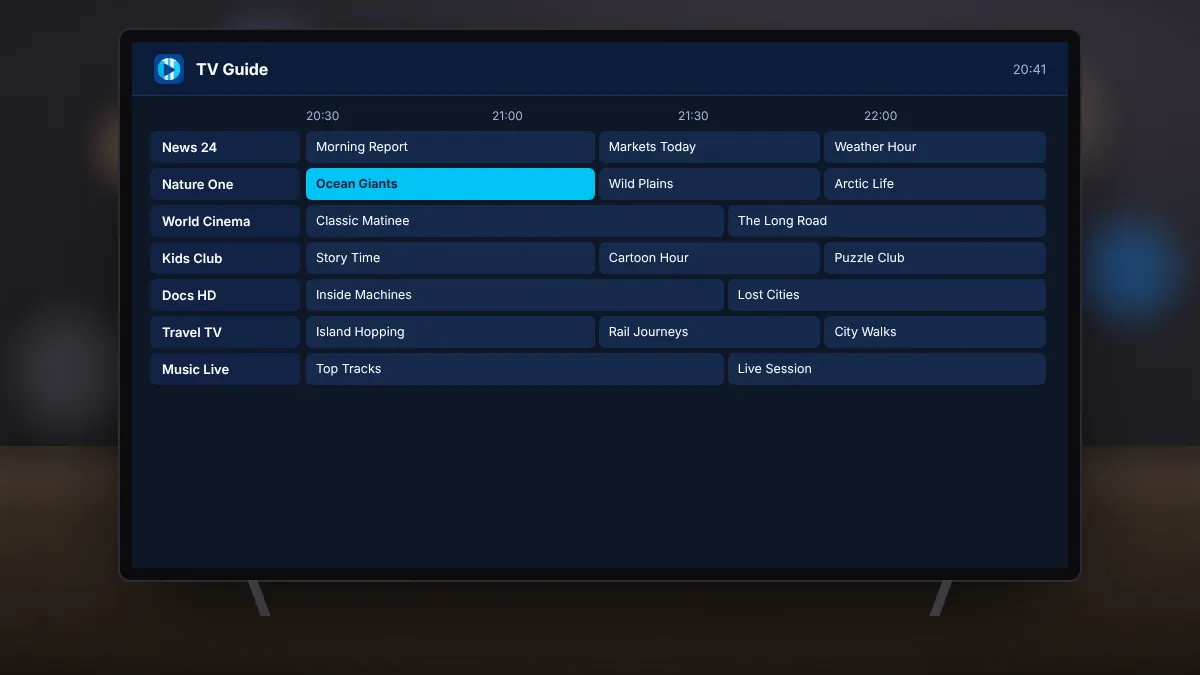
The electronic programme guide, or EPG, turns a long channel list into something like a traditional TV schedule. XCIPTV Player supports EPG data from Xtream Codes, EZServer and M3U sources.
Opening the guide
From the home screen, open the TV guide. Channels run down the side and time runs across the top. Use the remote's arrow keys to move between channels and programmes, and select a programme to see its description.
Watching a show that already started
If your service supports catch-up, programmes that have already aired show a catch-up marker. Select one to watch it from the beginning. How far back you can go depends on your provider, commonly between one and seven days.
Setting reminders
Choose a future programme and select the reminder option. The app notifies you shortly before it starts, so you can switch over in time.
Changing how the guide looks
- Pick a layout that suits your screen size.
- Hide channel groups you never watch to shorten the list.
- Correct the time offset if programmes appear an hour early or late.
Summary
The guide shows what is on, catch-up lets you start from the beginning, and reminders help you plan your viewing. Together, they make IPTV feel like regular television.