 XCIPTV Player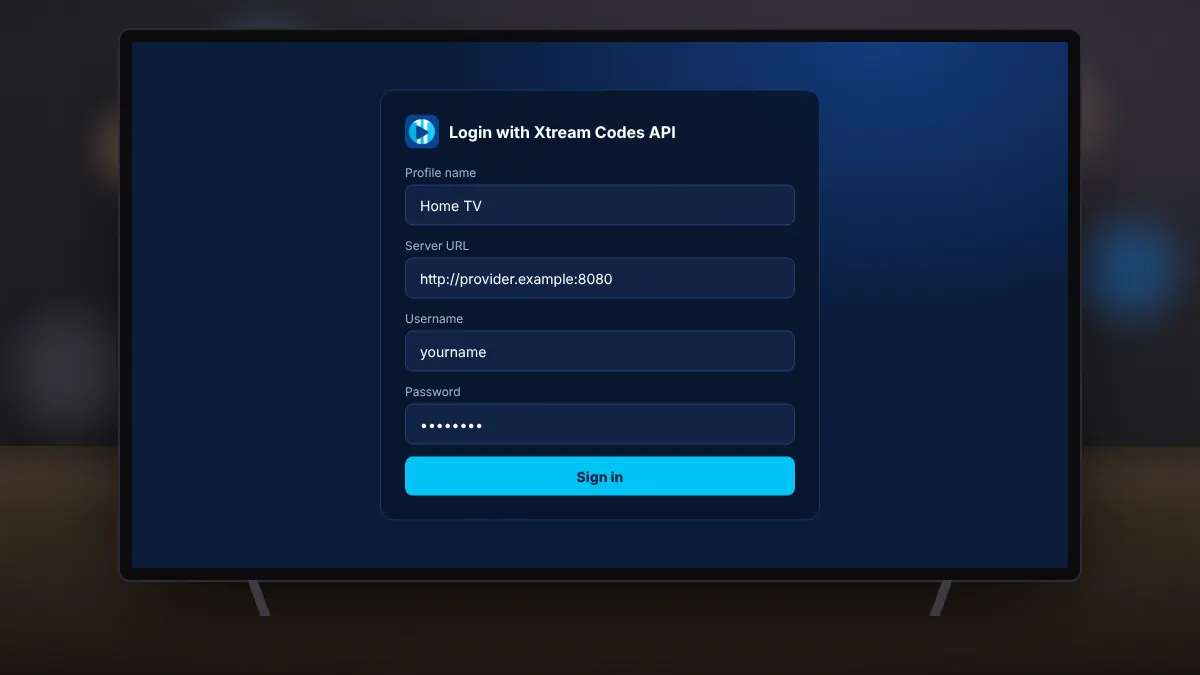
Most IPTV services give their customers an Xtream Codes login. It is the easiest way to use XCIPTV Player, because the app loads live channels, films, series and the TV guide automatically from a single sign-in.
What your provider gives you
- Server URL: the address of the service, usually including a port number.
- Username and password for your account.
Signing in
- Open XCIPTV Player and choose the Xtream Codes login option.
- Give the profile a name you will recognise, such as your provider's name.
- Enter the server URL exactly as provided, including http:// and the port.
- Enter your username and password, then sign in.
The app downloads the channel list and the guide. The first load can take a minute on large services.
Fixing login errors
- Invalid login: check for extra spaces and the difference between capital and small letters.
- Cannot connect to server: confirm the full address, including the port, and try again on another network.
- Account expired: contact your provider; the app cannot extend subscriptions.
- Connection limit reached: your plan may allow only one device at a time.
Using several accounts
You can save more than one profile and switch between them, which is useful if your household has different subscriptions.
Keep your login details private. Anyone with them can use your account and may cause it to be suspended for exceeding the connection limit.